MintCut: Audio Editor and Cutter for Android

- Category
- Music & Video
- Version
- 1.0.10
- Version code
- 11
- Date
- Nov 29, 2026
- Requires
- Android 8.0+
- Package name
- com.mintcut.audio
- Languages
- English
- Age rating
- Everyone
- In-app purchases
- Yes
- Editor rating
- ★★★☆☆
- Download
- APK file
- Official website
- https://mintcut.zrd5g.com/
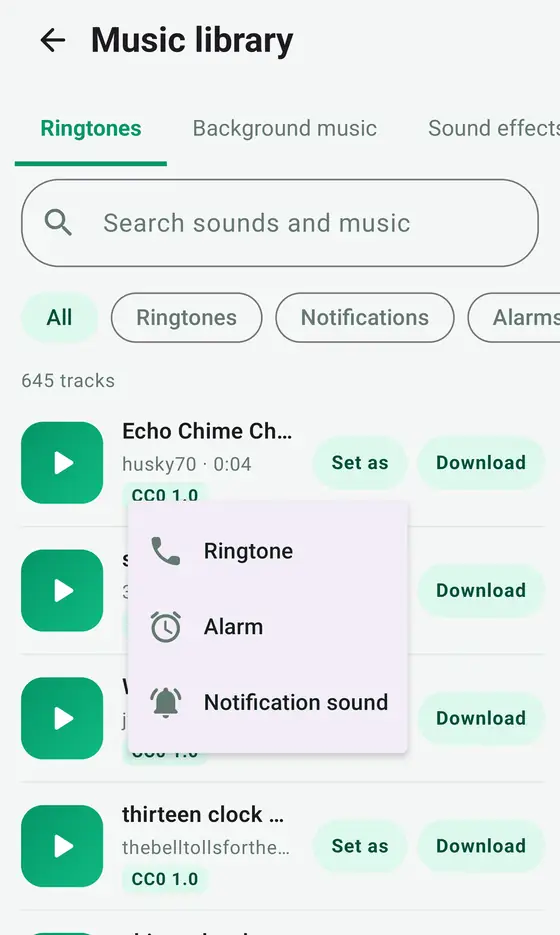
MintCut is an audio editor for Android that does its editing on the phone itself. You open a recording or music file, see the waveform, and cut, join, mix or convert it without sending the file anywhere. This page covers version 1.0.10 (build 11), which needs Android 8.0 or later.
What you can do with it
- Trim and cut: keep or remove one or many sections, with zoom, loop preview and exact time entry. Every edit can be undone.
- Join and mix: merge clips into one track with crossfades, or stack several tracks with their own volume, mute, solo and start offset.
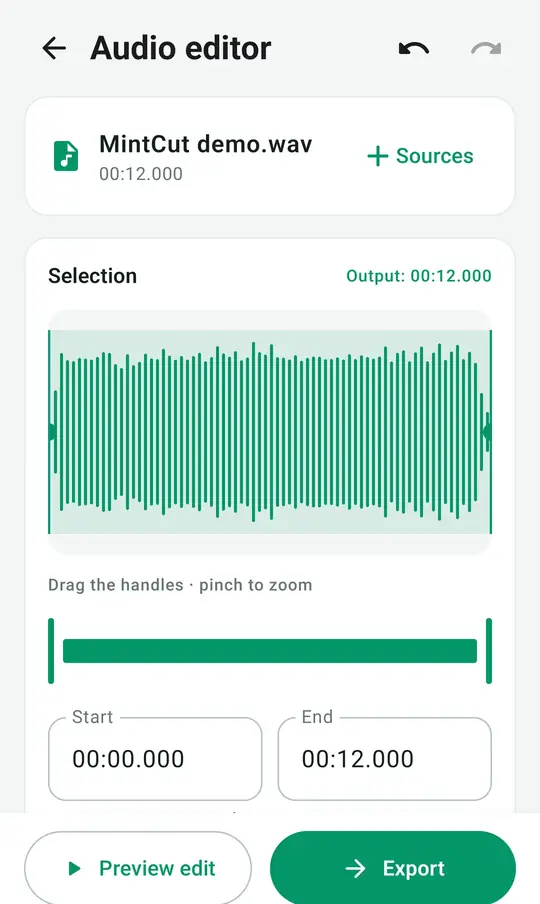
- Convert: export to MP3, M4A, AAC, WAV, FLAC or OGG and pick the bitrate, sample rate and mono or stereo.
- Clean up and change: change speed and pitch separately, reduce noise, fade in and out, reverse a clip, or take the soundtrack out of a video.
Exporting and ringtones
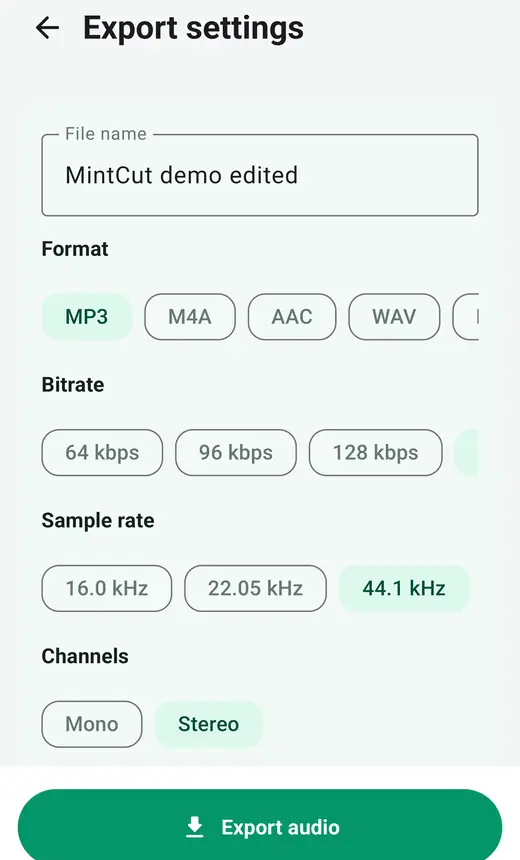
Exports run in the background with a progress bar, and can be cancelled and retried. A finished clip can be set as a ringtone, and the built-in online library offers sound effects and music under CC0, public-domain or CC BY licences, with the licence shown for every track.
New in 1.0.10: My voice
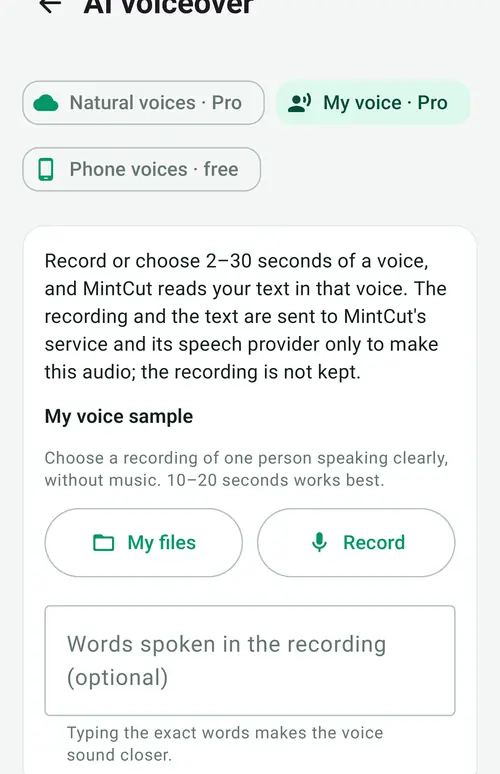
The text-to-speech screen has a new My voice option. You record or pick a short sample and the app reads your text in that voice. My voice is a Pro feature. It works from a 2-30 second recording that you make or pick, and it should only be used with the consent of the person speaking. Audio created this way is labelled as a synthetic voice. A volume check now warns when a recording is silent or very quiet, and Vivian is the default online voice.
Free and Pro
Core editing is free. Pro adds batch processing, lossless WAV and FLAC export, 320 kbps MP3, offline transcription, voice changer export and the online voices. It is sold through Google Play as a monthly or yearly subscription or a one-time purchase.
Package: com.mintcut.audio. File size about 108 MB. Official site: mintcut.zrd5g.com.
Update log
More in Music & Video
 Toffee app download for android tv 2023 latest version3.0.3 · 13.21M
 Jellyfin Android TV download0.16.11 · 95.89M
 YouTube for Android TV5.01.314 · 26.04M
 Emby for Android TV2.1.14g · 70.56M
 Swipefy for Spotify1.1.7 · 94.43M
 Netflix Android TV11.0.0 · 87.97M
 Vi Movies and TV app for android download2.1.7 · 37.35M
 Pocket FM app free download for android6.5.2 · 58.38M
 Xstream Play1.17.2 · 22.46M
 Amazon Music25.1.1 · 129.28M
 Real Drum11.9.2 · 52.9M
 JOOX Music app download7.32.4 · 130.1M
Top 10 in Music & Video
- 1
 Pixel+ app download for android13.47M · 6.2.6
- 2
 YouTube app download new version 2025149.3M · 20.06.42
- 3
 Audiomack app download for android47.76M · 6.57.1
- 4
 YouTube Music app download for android57.72M · 8.06.51
- 5
 CapCut286.42M · 13.7.0
- 6
 Lark Player21.18M · 6.14.5
- 7
 SnackVideo243.36M · 10.6.10.536001
- 8
 HIDIVE76.15M · 2.5.1
- 9
 Google TV android30.75M · 4.39.2376.653974186.4-release
- 10
 Apple Music app download for android35.01M · 4.9.5
Recommended Topics


Similar Apps