I found an Android app that adds the notification alerts missing from the Fitbit Air
Nov 23, 2026
The Fitbit Air Can Buzz for Important Alerts With Cuff After a Switch From Pixel Watch 4
Why the Fitbit Air’s screenless design creates a notification gap
The Fitbit Air is built around a screenless idea. It quietly tracks health data and shares useful insights without a display that constantly asks to be looked at. After the Pixel Watch 4 was replaced by the Fitbit Air, the appeal became the reduction of distractions: no watch face to customize, no bright screen pulling attention toward a message, and no temptation to read every alert as it arrives.
But that same design creates a different problem. A tracker without a screen can make it easier to ignore the phone, yet the Fitbit Air does not currently provide a way to let only important alerts reach the wrist. The result is a tradeoff: the device helps reduce interruptions, but it can also keep the wearer out of the loop on calls and messages until the phone is checked.
Why the vibration motor feels underused
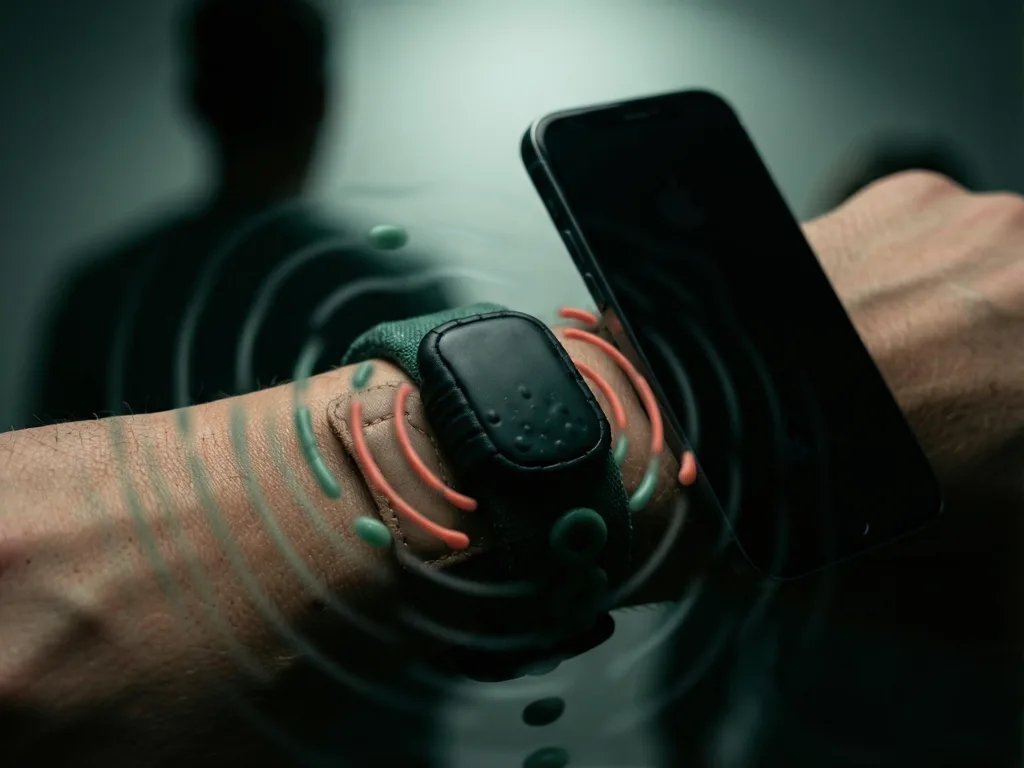
The Fitbit Air has a vibration motor, but Google limits its use to silent alarms. It does not buzz for incoming calls or messages. That restriction matters most when the phone is not nearby, such as when it is charging across the room or sitting in a bag.
Without a wrist signal, the wearer has to choose between leaving the phone alone and risking missing something urgent, or checking it often enough to stay informed. That checking behavior goes against the point of wearing a distraction-free tracker. The Fitbit Air still offers simple health tracking, but it does not yet offer a quiet, selective alert path for important communication.
What the missing buzz means in daily use
Not every notification deserves a wrist buzz. A WhatsApp group message, a promotional notification, or another email may not need immediate attention. A call from a spouse or an urgent Slack message is different.
The Fitbit Air does not provide a built-in way to separate those two kinds of alerts. A user who wants a calm wrist does not need to read or reply from the band. The main need is smaller: knowing when something important should pull attention back to the phone.
How Cuff adds selective alerts to the Fitbit Air
A Reddit user created Cuff, a third-party Android app that communicates with the Fitbit Air over Bluetooth to trigger vibrations. The app supports per-app alerts, adjustable vibration patterns and intensity, and call alerts for specific contacts.
With Cuff, the Fitbit Air can buzz for incoming calls and for chosen conversations without turning every notification into a wrist interruption. The app fills a practical gap: it lets the band signal only the alerts that matter, while leaving the rest behind on the phone.
What the custom alerts change in practice
After switching to the Fitbit Air, the alert setup can be narrowed to the conversations that deserve attention. Incoming calls, specific contacts, and selected apps such as Slack and Telegram can be allowed through. Most important conversations often happen in a small group of apps, so a targeted alert system can make the Fitbit Air more useful without making it noisy.
The custom vibration patterns add another layer of control. A call from a wife can use one vibration pattern, while a Slack message can use another. That distinction helps the wearer understand the kind of alert without needing to read or respond from the wrist.
The result is a quiet tracker with a few meaningful exceptions. The Fitbit Air keeps its screenless simplicity, but important conversations can still break through. Instead of checking the phone constantly just in case, the wearer can wait for a wrist buzz that signals a conversation worth noticing.
Other Cuff features beyond notification alerts
Cuff does more than add vibration alerts. It includes a dedicated health section, can track accumulated sleep debt over the week, and can save frequently eaten meals. Those features may be useful for some users, but the main value in this case is the custom notification control.
The app addresses the biggest limitation experienced after switching to the Fitbit Air for its simplicity. The health-tracking role remains intact, while the band becomes a better communication checkpoint. It does not replace the phone, but it can reduce the need to check the phone repeatedly.
A sideloading warning may appear when installing Cuff
Google has been clamping down on sideloading on Android. Because Cuff is a third-party app, installing it may trigger a Google Play Protect warning on the phone.
That warning is part of the Android sideloading context, but it does not change the core result. Cuff can make the Fitbit Air vibrate for selected calls and messages. For users who want a quieter wearable without losing awareness of important communication, that selective alert path is the real draw.
What this means for Fitbit Air users and Google
Optional notification alerts do not need to undermine the Fitbit Air’s screenless appeal, especially if users can choose which apps and contacts get through. A small set of exceptions can preserve the calm design while making the device more useful in everyday life.
Google has long presented Android as open and flexible, and the Fitbit Air could carry that same flexibility. Until the Fitbit Air includes an option for selective vibration alerts, Cuff fills the gap for users who want a quiet tracker that still signals when something important needs attention.
Related Apps




Recommend Apps