Here is why I keep returning to TickTick instead of every other to-do app.
Nov 23, 2026
Why Managing Multiple Tasks Can Become a Mental Burden
Getting work done on time is vital for anyone managing multiple tasks. Deadlines, updates, reorganizations, and revisions can consume time or take a toll on mental health when work is not organized. A suitable to-do list tool can reduce that pressure by clearly showing what needs to be done and when, what is coming next, and who is responsible.
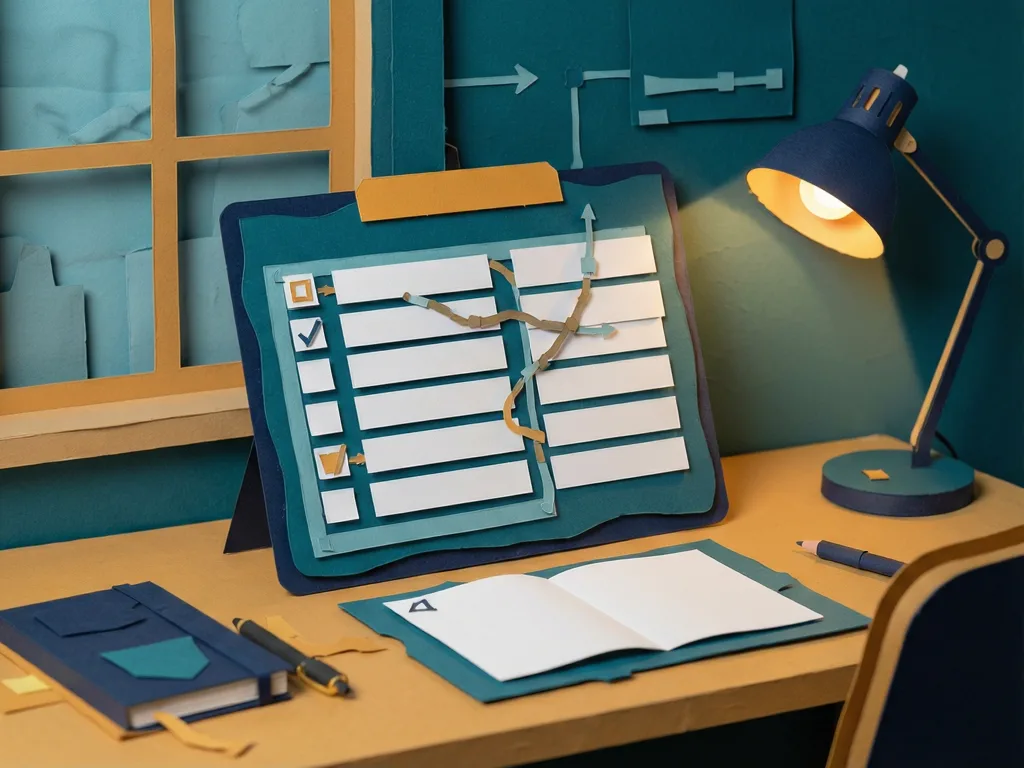
That is the problem a six-month test of top-rated project management apps was designed to address. The apps were judged on day-to-day follow-through, task clarity, and collaboration. Among them, TickTick kept coming back as the most useful choice for several task-management use cases. At first glance, its user-friendly interface and handy features make it easy to add, organize, and track tasks without feeling maxed out.
How TickTick Turns Large Tasks Into Visible Steps
TickTick offers solid task-management capabilities and plenty of handy features. It lets a user create tasks, assign priorities, and set due dates with a tap. Adding deadlines, attachments, and subtasks helps prevent work from getting lost.
The Lists feature can break a complex assignment into small, manageable steps. For example, writing a 1200-word article can be split into pitching the title, researching key sources, creating an outline, writing the introduction, writing body sections, and writing the conclusion, with time entered for each step. Afterward, the app shows what needs to be done and when through a visual roadmap, which supports on-time goal completion.
Natural-language dates are another practical part of this workflow. TickTick can parse dates through its smart recognition feature. A user can type "gym on Wednesday at 6 p.m." or "Google Meet class on Friday and Monday at 8 p.m." and the app assigns the days and times accordingly, so there is no need to manually pick a date from a calendar.
How Recurring Tasks Reduce Forgotten Follow-Ups
The "Recurring Task" feature changes how repetitive work is handled. For a freelancer and business owner working on several projects simultaneously, it is easy to forget client follow-ups and biweekly and monthly invoices.
TickTick lets the user schedule tasks that happen hourly, daily, weekly, bi-monthly, monthly, or annually, then reminds them in a timely fashion so the tasks are completed without fail. That removes the need to remember repetitive work, reduces mental load, and helps build discipline through strict routines and habits, including personal matters like weekly family calls.
While other apps offer similar recurring features, TickTick stands out for flexibility and innovation. It supports end dates, exceptions, skipping weekends, and tasks that recur after a certain period, not only on specific dates.
How the Pomodoro Timer Links Focus to Actual Work
Standalone focus apps can feel disconnected from the work itself. They often work in isolation, forcing the user to switch between the timer and the task list. That can make it hard to remember what was finished during a session, because there is no direct link between the timer and the tasks on the list.
TickTick includes a Pomodoro Timer that can be started for any project, and the app tracks Pomodoro focus sessions. Sessions usually include a 25-minute work period followed by a 5-minute break. The timer can be attached to a specific task, and the task appears above the timer in the app. This is useful for responding to emails, proofreading articles, and reviewing business reports. The combination of focus sessions and breaks helps maintain sharpness without burnout or distractions.
How Habit Tracking and Stats Support Daily Routines
TickTick is not limited to task management. It can also track self-improvement habits such as sleep time, reading, mindfulness, meditation, and journaling. Users can check habits off on chosen days and times, then view a streamlined record of activities and how often they occur over a set period.
The app analyzes those activities and organizes them into stats shown through charts and graphs viewable on the web. The stats include the number of focus sessions completed and the times when the user is usually more focused.
Although other online to-do list apps offer habit tracking, TickTick's push notification feature is presented as a distinguishing element. Notifications appear at the set time and can take formats such as upcoming, tomorrow, or today.
How Cross-Platform Access and Collaboration Keep Work Moving
TickTick supports access from an Android smartphone, PC, or tablet, allowing users to access, plan, and organize tasks from anywhere and at any time. It is available on Android, macOS, web, Windows, iOS, and Linux.
For a user with the app on phones and a PC, this flexibility removes excuses for skipping report reviews, article editing, or task creation. A task can be created on an Android phone during lunch at a restaurant or on the metro, then seen on a PC when the user gets home or to the office.
Collaboration features make it easier to share projects with team members. Integrating TickTick with Lark's shared calendar helps colleagues track updates, meetings, and deadlines. Lark supports real-time document sharing and communication, helping project teams manage work effectively without switching apps. In a shared environment, team members can clarify details, share updates, or brainstorm ideas while everyone remains in the loop.
TickTick also integrates well with other productivity apps, including Slack, Zapier, and Google Calendar.
How Reminders Help Over 30 Tasks Stay on Track
Reminders are a major reason the tool can keep complex schedules under control. In the past, tasks could slip from mind. With the app, projects are planned, scheduled, and completed on time. Over the past month, the user successfully tracked over 30 tasks, ranging from sophisticated tasks with varying deadlines to calling family members and paying bills promptly.
The reminders work as persistent, gentle nudges that keep the user on top of work without creating pressure. One or several notifications can be set at different intervals for a particular project. A common setup uses two alerts for all projects: one 30 minutes before the scheduled time and another 20 minutes before it is due. Reminders can be customized as a text message, email, or push notification, depending on the user's location or environment.
Location-based reminders add another layer of support. They trigger when a user enters or leaves a certain room or location, such as a train station, classroom, restaurant, or office. For someone always on the go with several stops in between, or for someone who struggles to keep time, these reminders can be practical.
What This Means for Readers Managing Multiple Deadlines
For readers who need different apps for habit tracking, managing tasks, and tracking due dates, TickTick reduces the hassle of juggling separate tools. It consolidates all three features, plus others, without sacrificing capabilities in any of them.
Whether the work is project management or freelancing, the app supports meeting tight deadlines by tracking sophisticated tasks, coordinating members, and reorganizing them by client or project in a single app.
Related Apps



Recommend Apps